Fedor Baart
When you start to program you often start to program from top to bottom. You solve problems as they come along and put all code in one file. This is called a script. As you progress and learn more about programming and you add more features you will notice that you’ll also start to program different. In this lecture we’ll show you how a script typicall evolves into a program. To make the transitions we will use basic programming guidelines that help us to choose what to change.
Script
This is an example of how you would program your first “a ship moving along a route”. The goal is to compute the total duration of the trip. Notice that we don’t use any external libraries, only internal python functions. We also don’t use any loops or functions or classes. The function does work just fine but has some rome for improvements. In this notebook we’ll use several general program guidelines to rewrite our program several times. The goal is to learn to know the guidelines and to apply them.
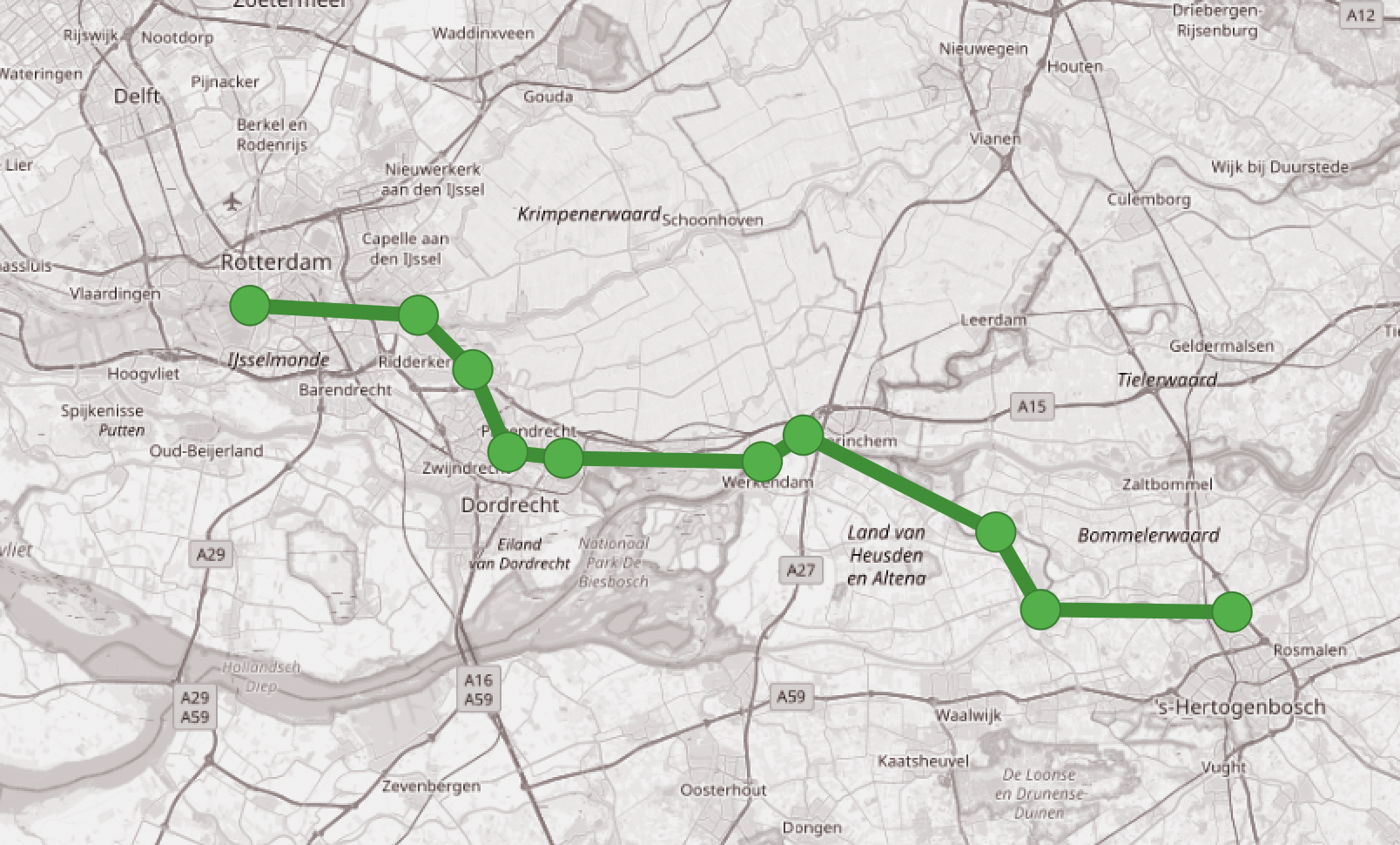
Input
Ship velocity: 2m/s
Route: Rotterdam, Dordrecht, Den Bosch, Rotterdam
Distances: (measure)
# here we define a ship with velocity 2
ship = {"v": 2}
# We define the route
route = ["Rotterdam", "Dordrecht", "Den Bosch", "Rotterdam"]
# We read the distances from Google Maps
distances = {
    ("Rotterdam", "Dordrecht"): 20000,
    ("Dordrecht", "Den Bosch"): 40000,
    ("Den Bosch", "Rotterdam"): 60000
}
# Let's start the clock, we want to know how long a ship took
t = 0

# The first edge of the route, we're going from a to b, from Rotterdam to Dordrecth
a = route[0]
b = route[1]
# Now lookup our distance
distance = distances[a, b]
# With these two you can compute the duration
duration = distance / ship["v"]
# Let's print so that we know what's happening
print(f"Going from {a} to {b}, distance: {distance}")
# Sum up the duration
t += duration

# The same for edge 2
a = route[1]
b = route[2]
distance = distances[a, b]
duration = distance / ship["v"]
print(f"Going from {a} to {b}, distance: {distance}")
t += duration

# The same for edge 3
a = route[2]
b = route[3]
distance = distances[a, b]
duration = distance / ship["v"]
print(f"Going from {a} to {b}, distance: {distance}")
t += duration

# Now we're done, we can show the duration
print(f"t: {t}")
Going from Rotterdam to Dordrecht, distance: 20000
Going from Dordrecht to Den Bosch, distance: 40000
Going from Den Bosch to Rotterdam, distance: 60000
t: 60000.0
DRY
One of the first principles is “Don’t Repeat Yourself”. We want to avoid duplication. The idea behind it is that if you program the same lines multiple times you also have to change multiple lines when things change.
By making sure we don’t have any repetitions we reduce the maintenance and make our software easier adaptable. Here we reduce the repetitions by using a for loop.
t = 0
# Here we use the range combined with for.
# We only loop to length - 1 because the number of edges is the number of nodes -1.
for i in range(len(route) - 1):
a = route[i]
b = route[i + 1]
distance = distances[a, b]
duration = distance / ship["v"]
print(f"Going from {a} to {b}, distance: {distance}")
t += duration
print(f"t: {t}")Going from Rotterdam to Dordrecht, distance: 20000
Going from Dordrecht to Den Bosch, distance: 40000
Going from Den Bosch to Rotterdam, distance: 60000
t: 60000.0
t = 0
# This would be slightly more elegant, using zip
for e in zip(route[:-1], route[1:]):
a, b = e
distance = distances[a, b]
duration = distance / ship["v"]
print(f"Going from {a} to {b}, distance: {distance}")
t += duration
print(f"t: {t}")Going from Rotterdam to Dordrecht, distance: 20000
Going from Dordrecht to Den Bosch, distance: 40000
Going from Den Bosch to Rotterdam, distance: 60000
t: 60000.0
Encapsulate: Function
The amount of work done in a for loop can become quite large. Up to now it’s just 6 lines, but as you reach 10-20 or certainly the end of the page you want to split up the work into logical steps. That makes your code easier to read for others. It also allows you to later test seperate parts of your program.
# it just passes one edge, so let's give it a logical name "pass_edge"
# A function often has an "action" / verb in the name. You can ask yourself what is this function doing?
# The answer is a good name for the function.
# We'll also rename the abstact counter i to e to represent an edge number
def pass_edge(e):
a, b = e
distance = distances[a, b]
duration = distance / ship["v"]
print(f"Going from {a} to {b}, distance: {distance}")
return duration
t = 0
for e in zip(route[:-1], route[1:]):
duration = pass_edge(e)
t += duration
print(f"t: {t}")Going from Rotterdam to Dordrecht, distance: 20000
Going from Dordrecht to Den Bosch, distance: 40000
Going from Den Bosch to Rotterdam, distance: 60000
t: 60000.0
# here we make a function that looks up the global route variable
# it just passes one edge, so let's give it a logical name "pass_edge"
# A function often has an "action" / verb in the name. You can ask yourself what is this function doing?
# The answer is a good name for the function.
# We'll also rename the abstact counter i to e to represent an edge number
def pass_edge(e):
a, b = e
distance = distances[a, b]
duration = distance / ship["v"]
print(f"Going from {a} to {b}, distance: {distance}")
return duration
# Now that we have made our first function.
# Let's group all of the remaining work into another function,
# so that we only have to call one function to do all the work.
def move():
t = 0
for e in zip(route[:-1], route[1:]):
duration = pass_edge(e)
t += duration
print(f"t: {t}")
move()Going from Rotterdam to Dordrecht, distance: 20000
Going from Dordrecht to Den Bosch, distance: 40000
Going from Den Bosch to Rotterdam, distance: 60000
t: 60000.0
Generators
Now for a slightly more complicated step. We can have functions that “return” one time. But we can also make functions that yield “multiple times”. Let’s start with a simple example. These functions don’t return values but return generators because they generate results.
# this is a normal function that returns 1
def one():
return 1
print("one():", one())
# Now let's make a generator that also returns 1
def one():
yield 1
# Here you notice that our generator function returns a generator object, which we can loop over
print("generator one():", one())
for x in one():
print("x:", x)
# You can also manually loop over the generator:
generator_one = one()
print("next one():", next(generator_one))
one(): 1
generator one(): <generator object one at 0x1058250b0>
x: 1
next one(): 1
# If we now would try to generate another value it would raise a StopIteration,
# to signal that the generator is exhausted.
import logging
try:
next(generator_one)
except StopIteration:
logging.exception("Generator raised the error:")ERROR:root:Generator raised the error:
Traceback (most recent call last):
File "/var/folders/fh/tcbrjg6n28b0lzjzh07b5t6m0000gn/T/ipykernel_2054/2021167945.py", line 6, in <module>
next(generator_one)
StopIteration
# We can make another generator that yields three numbers:
def one_two_three():
yield 1
yield 2
yield 3
# this will keep yielding values until it's done
for x in one_two_three():
print("x:", x)
# You can also collect all yielded values in a list:
print("list:", list(one_two_three()))
# Or immediately compute the sum
print("sum:", sum(one_two_three()))x: 1
x: 2
x: 3
list: [1, 2, 3]
sum: 6
Lazy evaluation
Lets’ use this to generate our durations in the move functions. Then we can just sum them up, without needing the “t” variable. The principle here is to be lazy, do not evaluate things that you do not need or before you need it. Another lazy concepts is “YAGNI” You Aight Gonna Need It. Only make things that you need now, not things that you might need at some point in the future.
def pass_edge(e):
a, b = e
distance = distances[a, b]
duration = distance / ship["v"]
print(f"Going from {a} to {b}, distance: {distance}")
return duration
def move():
for e in zip(route[:-1], route[1:]):
duration = pass_edge(e)
yield duration
# Just like in the simple example, we can generate a list of durations
print(list(move()))
# And we can immediately sum them, while they are being generated.
t = sum(move())
print(f"t: {t}")Going from Rotterdam to Dordrecht, distance: 20000
Going from Dordrecht to Den Bosch, distance: 40000
Going from Den Bosch to Rotterdam, distance: 60000
[10000.0, 20000.0, 30000.0]
Going from Rotterdam to Dordrecht, distance: 20000
Going from Dordrecht to Den Bosch, distance: 40000
Going from Den Bosch to Rotterdam, distance: 60000
t: 60000.0
Delegating to subgenerators
# We can make another generator that yields three numbers:
def do_re_mi_do():
yield "do"
yield "re"
yield "mi"
yield "do"
def sing():
for i in range(2):
yield from do_re_mi_do()
yield "doooo"
list(sing())['do', 're', 'mi', 'do', 'do', 're', 'mi', 'do', 'doooo']def pass_edge(e):
a, b = e
distance = distances[a, b]
duration = distance / ship["v"]
print(f"Going from {a} to {b}, distance: {distance}")
# let's also yield here
yield duration
def move():
for e in zip(route[:-1], route[1:]):
# if we yield from something that yields we can yield FROM the results (subgenerators)
# if we yield from something that returns we can yield the results
yield from pass_edge(e)
# Just like in the simple example, we can generate a list of durations
print(list(move()))
# And we can immediately sum them, while they are being generated.
t = sum(move())
print(f"t: {t}")Going from Rotterdam to Dordrecht, distance: 20000
Going from Dordrecht to Den Bosch, distance: 40000
Going from Den Bosch to Rotterdam, distance: 60000
[10000.0, 20000.0, 30000.0]
Going from Rotterdam to Dordrecht, distance: 20000
Going from Dordrecht to Den Bosch, distance: 40000
Going from Den Bosch to Rotterdam, distance: 60000
t: 60000.0
Let’s complicate
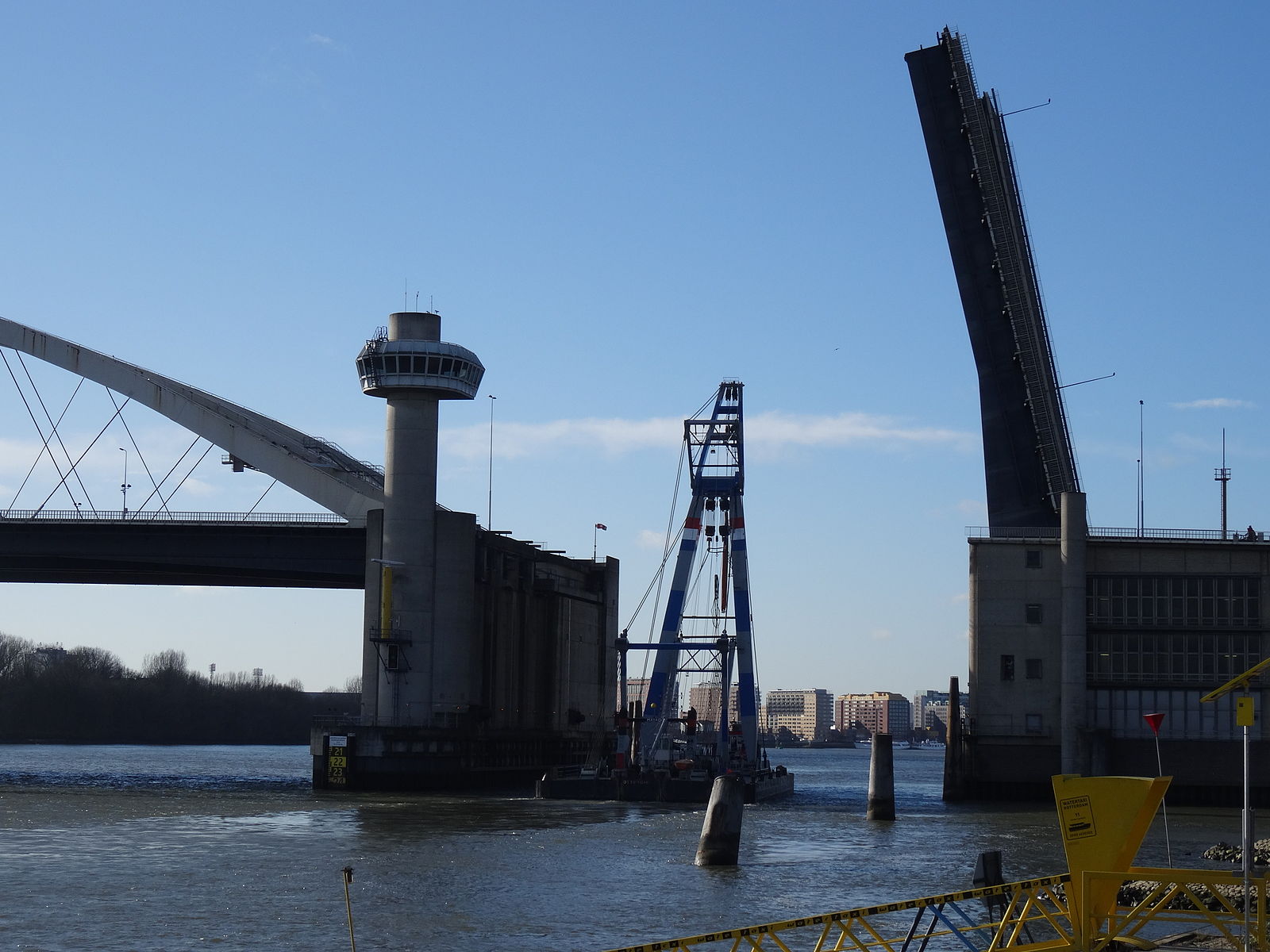
Let’s add some extra wait times in Rotterdam Dordrecht. Let’s include a lock that we also need to pass the van Brienenoord Bridge. That takes 1800 seconds.
ship = {"v": 2}
route = ["Rotterdam", "Dordrecht", "Den Bosch", "Rotterdam"]
distances = {
    ("Rotterdam", "Dordrecht"): 20000,
    ("Dordrecht", "Den Bosch"): 40000,
    ("Den Bosch", "Rotterdam"): 60000
}

# this is 1 bridge
bridge = {
    "edge": ("Rotterdam", "Dordrecht"),
    "wait": 1800
}
def pass_edge(e):
a, b = e
distance = distances[a, b]
duration = distance / ship["v"]
edge = (a, b)
if edge == bridge["edge"]:
print(f"Waiting for bridge on edge {edge}")
yield bridge["wait"]
print(f"Going from {a} to {b}, distance: {distance}")
# let's also yield here
yield duration
def move():
for e in zip(route[:-1], route[1:]):
# if we yield from something that yields we can yield FROM the results
# if we yield from something that returns we can yield the results
yield from pass_edge(e)
# Just like in the simple example, we can generate a list of durations
print(list(move()))
# And we can immediately sum them, while they are being generated.
t = sum(move())
print(f"t: {t}")Waiting for bridge on edge ('Rotterdam', 'Dordrecht')
Going from Rotterdam to Dordrecht, distance: 20000
Going from Dordrecht to Den Bosch, distance: 40000
Going from Den Bosch to Rotterdam, distance: 60000
[1800, 10000.0, 20000.0, 30000.0]
Waiting for bridge on edge ('Rotterdam', 'Dordrecht')
Going from Rotterdam to Dordrecht, distance: 20000
Going from Dordrecht to Den Bosch, distance: 40000
Going from Den Bosch to Rotterdam, distance: 60000
t: 61800.0
Do not reinvent the wheel
Up to know we did our own administration for waiting times. There is a library that we can use for that. The simpy library is a discrete event model that allows to keep track of times spent on activities. Use external libraries when possible. Then you don’t have to maintain so much code.
# here' well use simpy to do the time/event administration
import simpy

def pass_edge(env, e):
    a, b = e
    distance = distances[a, b]
    duration = distance / ship["v"]
    edge = (a, b)
    if edge == bridge["edge"]:
        print(f"Waiting for bridge on edge {edge}")
        yield env.timeout(bridge["wait"])
    print(f"Going from {a} to {b}, distance: {distance}")
    # let's also yield here
    yield env.timeout(duration)


def move(env):
    for e in zip(route[:-1], route[1:]):
        # if we yield from something that yields we can yield FROM the results
        # if we yield from something that returns we can yield the results
        yield from pass_edge(env, e)

env = simpy.Environment()
env.process(move(env))
env.run()
print(f"t: {env.now}")
Waiting for bridge on edge ('Rotterdam', 'Dordrecht')
Going from Rotterdam to Dordrecht, distance: 20000
Going from Dordrecht to Den Bosch, distance: 40000
Going from Den Bosch to Rotterdam, distance: 60000
t: 61800.0
Single responsibility
Some functions did multiple things at the same time. It is a good idea to make functions with only 1 responsibility. That allows you to replace, rewrite parts easier. Let’s put the edge generation in a seperate generator and recompute the distances.
import simpy

def compute_distance(a, b):
    """compute the distance between point a and point b"""
    distance = abs(network[b]["geometry"] - network[a]["geometry"])
    return distance


def pass_edge(env, e):
    """compute distances and wait for the duration"""
    a, b = e
    if bridge["edge"] == e:
        print(f"Waiting for bridge on edge {e}")
        yield env.timeout(bridge["wait"])

    # compute the distance between a, b
    distance = compute_distance(a, b)
    duration = distance / ship["v"]
    print(f"Going from {a} to {b}, distance: {distance}")
    yield env.timeout(duration)

def edges(route):
    """return list of node pairs in the route"""
    # all from nodes
    a = route[:-1]
    # all to nodes
    b = route[1:]
    # combine and return pairs
    for a_i, b_i in zip(a, b):
        yield a_i, b_i

def move(env):
    """pass all edges in the route"""
    for e in edges(route):
        yield from pass_edge(env, e)

# Let's also compute the distance based on the 1 dimensional geometry
network = {
    "Rotterdam": {"geometry": 0},
    "Dordrecht": {"geometry": 20000},
    "Den Bosch": {"geometry": 60000}
}


env = simpy.Environment()
env.process(move(env))
env.run()
print(f"t: {env.now}")
Waiting for bridge on edge ('Rotterdam', 'Dordrecht')
Going from Rotterdam to Dordrecht, distance: 20000
Going from Dordrecht to Den Bosch, distance: 40000
Going from Den Bosch to Rotterdam, distance: 60000
t: 61800.0
Namespaces
We already structured our code in functions. We can add multiple levels of names to organize our code. Those are called namespaces. If you want to structure your code in deeper levels you often use modules and classes. Sorting code in classes is called object oriented programming.
### Module
def edges(route):
    """return list of node pairs in the route"""
    # all from nodes
    a = route[:-1]
    # all to nodes
    b = route[1:]
    # combine and return pairs
    for a_i, b_i in zip(a, b):
        yield a_i, b_i

### Objects
class Ship:
    def __init__(self, env, v, route):
        self.env = env
        self.v = v
        self.route = route

    def pass_edge(self, e):
        """compute distances and wait for the duration"""
        a, b = e
        if bridge["edge"] == e:
            print(f"Waiting for bridge on edge {e}")
            yield env.timeout(bridge["wait"])
        distance = compute_distance(a, b)
        duration = distance / self.v
        print(f"Going from {a} to {b}, distance: {distance}")
        yield env.timeout(duration)

    def move(self):
        """pass all edges in the route"""
        for edge in edges(self.route):
            yield from self.pass_edge(edge)


### Script
network = {
    "Rotterdam": {"geometry": 0},
    "Dordrecht": {"geometry": 20000},
    "Den Bosch": {"geometry": 60000}
}
ship_data = {
    "v": 2,
    "route": ["Rotterdam", "Dordrecht", "Den Bosch", "Rotterdam"]
}
# The environment HAS A network
# The variable ship IS A Ship (is of type Ship)

env = simpy.Environment()
env.network = network
ship = Ship(env, v=ship_data["v"], route=ship_data["route"])
env.process(ship.move())
env.run()
print(f"t: {env.now}")
Waiting for bridge on edge ('Rotterdam', 'Dordrecht')
Going from Rotterdam to Dordrecht, distance: 20000
Going from Dordrecht to Den Bosch, distance: 40000
Going from Den Bosch to Rotterdam, distance: 60000
t: 61800.0
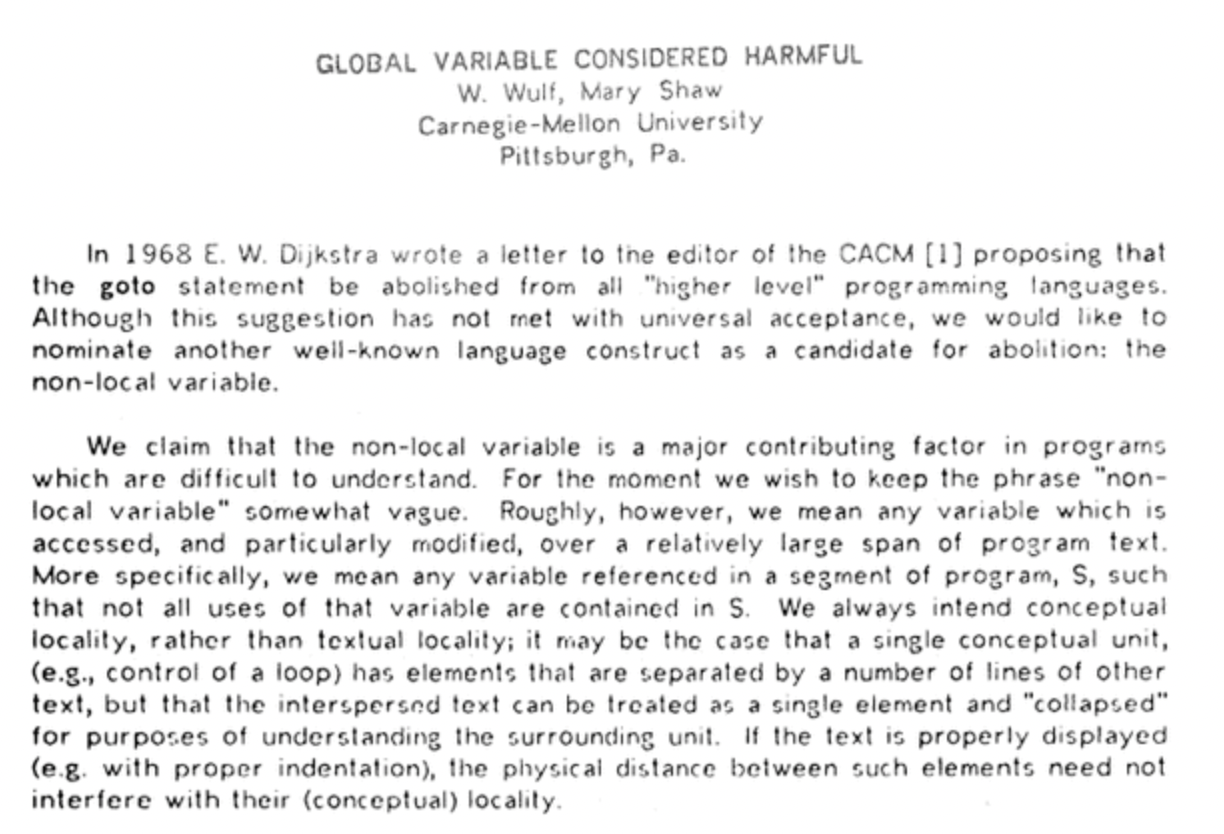
Global variables are harmfull
When you don’t know where a variable comes from, you’re more likely to make mistakes.
%%file config.json
{
    "network": {
        "Rotterdam": {"geometry": 0},
        "Dordrecht": {"geometry": 20000},
        "Den Bosch": {"geometry": 60000}
    },
    "ship": {
        "v": 2,
        "route": ["Rotterdam", "Dordrecht", "Den Bosch", "Rotterdam"]
    },
    "bridge": {
        "edge": ["Rotterdam", "Dordrecht"],
        "wait": 1800
    }
}
Overwriting config.json
import json

class SimpyObject:
    def __init__(self, env):
        self.env = env

class Ship(SimpyObject):
    def __init__(self, v, route, bridge, **kwargs):
        # initialize super class with remaining variables
        super().__init__(**kwargs)
        self.v = v
        self.route = route
        self.bridge = bridge
    def pass_edge(self, e):
        """compute distances and wait for the duration"""
        # json configuration does not know about tuples, let's convert it before we use it
        a, b = e
        if tuple(self.bridge["edge"]) == e:
            print(f"Waiting for bridge on edge {e}")
            yield env.timeout(bridge["wait"])
        distance = compute_distance(a, b)
        duration = distance / self.v
        print(f"Going from {a} to {b}, distance: {distance}")
        yield env.timeout(duration)
    def move(self):
        """pass all edges in the route"""
        for edge in edges(self.route):
            yield from self.pass_edge(edge)

## Simulation

# Read input from file
with open("config.json") as f:
    config = json.load(f)

env = simpy.Environment()
env.network = config["network"]
# pass all ship parameters
ship = Ship(env=env, bridge=config["bridge"], **config["ship"])
env.process(ship.move())
env.run()
print(f"t: {env.now}")
Waiting for bridge on edge ('Rotterdam', 'Dordrecht')
Going from Rotterdam to Dordrecht, distance: 20000
Going from Dordrecht to Den Bosch, distance: 40000
Going from Den Bosch to Rotterdam, distance: 60000
t: 61800.0
Don’t call us, we’ll call you
We can use the so called “hollywood principle” or “inversion of control” to add custom functions to the pass edge.
import json

class SimpyObject:
    def __init__(self, env):
        self.env = env

class Ship(SimpyObject):
    def __init__(self, v, route, bridge, **kwargs):
        # initialize super class with remaining variables
        super().__init__(**kwargs)
        self.v = v
        self.route = route
        self.bridge = bridge
        # you can
        self.on_pass_edge = []
    def pass_edge(self, e):
        """compute distances and wait for the duration"""
        a, b = e
        distance = compute_distance(a, b)
        duration = distance / self.v
        for gen in self.on_pass_edge:
            yield from gen(self, e)

        print(f"Going from {a} to {b}, distance: {distance}")
        yield env.timeout(duration)
    def move(self):
        """pass all edges in the route"""
        for e in edges(self.route):
            yield from self.pass_edge(e)
# Read input from file
with open("config.json") as f:
    config = json.load(f)

env = simpy.Environment()
env.network = config["network"]
# pass all ship parameters
ship = Ship(env=env, bridge=config["bridge"], **config["ship"])

def wait_for_bridge(ship, e):
    if e == tuple(ship.bridge["edge"]):
        print(f"Waiting for bridge on edge {e}")
        yield ship.env.timeout(ship.bridge["wait"])


ship.on_pass_edge.append(wait_for_bridge)

env.process(ship.move())
env.run()
print(f"t: {env.now}")
Waiting for bridge on edge ('Rotterdam', 'Dordrecht')
Going from Rotterdam to Dordrecht, distance: 20000
Going from Dordrecht to Den Bosch, distance: 40000
Going from Den Bosch to Rotterdam, distance: 60000
t: 61800.0
import json

class SimpyObject:
    def __init__(self, env):
        self.env = env

class Ship(SimpyObject):
    def __init__(self, v, route, **kwargs):
        # initialize super class with remaining variables
        super().__init__(**kwargs)
        self.v = v
        self.route = route
        # you can
        self.on_pass_edge = []
    def pass_edge(self, edge):
        """compute distances and wait for the duration"""
        a, b = edge
        destination = env.network[b]["geometry"]
        origin = env.network[a]["geometry"]
        distance = abs(destination - origin)
        duration = distance / self.v
        for gen in self.on_pass_edge:
            yield from gen(edge)

        print(f"Going from {a} to {b}, distance: {distance}")
        yield env.timeout(duration)
    def move(self):
        """pass all edges in the route"""
        for edge in edges(self.route):
            yield from self.pass_edge(edge)
class ShipWithBridge(Ship):
    def __init__(self, bridge, *args, **kwargs):
        super().__init__(**kwargs)
        self.bridge = bridge

        # register to the on_pass_edge functions
        self.on_pass_edge.append(self.wait_for_bridge)

    def wait_for_bridge(self, e):
        if e == tuple(self.bridge["edge"]):
            print(f"Waiting for bridge on edge {e} for {self.bridge['wait']}s")
            yield ship.env.timeout(self.bridge["wait"])

# Read input from file
with open("config.json") as f:
    config = json.load(f)

env = simpy.Environment()
env.network = config["network"]

# pass all ship parameters
ship = ShipWithBridge(env=env, bridge=config["bridge"], **config["ship"])
env.process(ship.move())
env.run()
print(f"t: {env.now}")
Waiting for bridge on edge ('Rotterdam', 'Dordrecht') for 1800s
Going from Rotterdam to Dordrecht, distance: 20000
Going from Dordrecht to Den Bosch, distance: 40000
Going from Den Bosch to Rotterdam, distance: 60000
t: 61800.0